


Admin and Site Enhancements Pro (ASE) 8.8.1
Last Update: May 25, 2026
- Updated
- Lifetime updates
- Secure Payment
-96%
-96%
Description
Quick summary
Admin and Site Enhancements Pro is a WordPress admin plugin designed to optimize the dashboard, remove unnecessary options, and strengthen site control without touching any code. It’s ideal for those managing projects with multiple users, numerous plugins, and constant client requests, who need a more organized, clear, and secure work environment for daily WordPress tasks.
What problem does it help solve?
In a WordPress site that grows over time, the admin area becomes cluttered: menus you no longer use, notices everywhere, duplicate options, confusing logins, and screens full of elements no one needs. This makes simple tasks difficult, increases the risk of errors, and means that any adjustment requires more clicks and concentration than it should.
If you’ve ever logged into a project dashboard with numerous plugins and not immediately understood what each one controls, the problem isn’t just the number of installed extensions, but the lack of a system to organize and simplify the administration layer. In this context, each new team member requires extra explanation to avoid “breaking” anything important, and every site review becomes slower.
On the other hand, when working with end clients, showing them a backend full of advanced options creates insecurity: they might accidentally touch critical settings, misconfigure pages, change global options, or delete content without realizing it. This happens when the website ceases to be a small project and becomes a dynamic environment with more user roles, more functionalities, and more decisions that affect performance, security, and daily management.
Why this solution makes a difference
Admin and Site Enhancements Pro focuses on how you work with WordPress, not just what the site displays to visitors. Its goal is for the control panel to adapt to your workflow, not the other way around. In real-world projects, this means fewer distractions, fewer unnecessary logins, and an environment tailored to the role of each person accessing the backend.
By streamlining and improving administration, errors are reduced because fewer critical elements are visible to those who shouldn’t be touching them. Configuring specific menus, options, or sections for editors, store managers, or end users simplifies recurring tasks and avoids constantly reviewing what others have changed. When you start noticing you’re wasting time explaining “don’t go to this screen” or “don’t change this,” having a system like this changes the pace of your work.
Furthermore, by centralizing adjustments related to the administration area, basic maintenance and minor frontend refinements, consistency is gained: site management decisions are in one place, with clear criteria, which facilitates control for the project leader and simplifies the work for the rest of the team.
Signs you need this product
- Your WordPress dashboard is cluttered with menus, notices, and options that confuse less technical users.
- Clients or editors have changed sensitive settings or removed important elements within WordPress due to having too much access.
- You waste time looking for where everything fits, checking various admin menus, or jumping between scattered settings pages.
- The website has gone from being a small site to a project with more collaborators, more features, and more monitoring and review tasks.
When does it make sense to use it (and when doesn’t)
Admin and Site Enhancements Pro makes sense when you manage WordPress on an ongoing basis and need a clearer, more segmented admin area that’s aligned with your workflow. It’s especially useful in projects where multiple people access the backend, where change requests are frequent, and where the goal is to reduce errors without relying on custom development for everything.
It’s also useful when you want to avoid accumulating small, separate extensions for specific administrative tasks: panel settings, hiding options, improving certain management details… Integrating these functions under a single approach allows for more organized decision-making and maintains an overall view of how the site is managed.
However, this product isn’t necessary if you’re working with a very simple personal blog, where only you access the dashboard and you barely make any changes beyond publishing content. If you don’t have organizational issues, don’t manage different user roles, and aren’t bothered by the current state of the backend, the benefits will be limited, and you can continue working with the basic WordPress setup.
Who it fits best for
- Professionals who manage multiple WordPress projects and need a consistent and easy-to-review management environment across each site.
- Agencies that deliver websites to clients want to limit risk on the dashboard, showing only what the client needs to touch to operate with peace of mind.
- Online stores and projects with multiple roles (administrators, editors, content managers, marketing managers) where clarity is required in who views and adjusts each part of the site.
Practical benefits
- Real operational improvement by centralizing key administrative settings and simplifying the number of screens and menus used on a daily basis.
- A clearer user experience for publishers and clients, with a less intimidating panel focused on the tasks they actually need to do.
- Greater control and organization over what can be changed, what remains protected, and how the internal management of the site is structured.
- Time savings by reducing repeated explanations, correcting other people’s mistakes, and searching for options scattered across different sections of the backend.
- Error reduction by minimizing unnecessary access to sensitive settings and by streamlining how you interact with WordPress.
How it fits within WordPress
Admin and Site Enhancements Pro integrates into the WordPress admin layer as an advanced control panel for managing how the backend is presented and organized. It doesn’t compete with visual builders or the theme; it operates above them, in the area where site elements are configured, reviewed, and maintained. In practice, it becomes the central point for defining what each user profile sees and which system elements remain under the direct supervision of the main administrator.
When you work professionally with WordPress, a significant portion of your time isn’t spent designing pages, but rather managing the environment: reviewing settings, controlling access, and fine-tuning small details of the user experience. Integrating this product into your workflow means that this management layer is no longer dependent on scattered decisions but becomes structured according to a clear logic, specifically designed for administration.
Typical use cases
- Managing an ecommerce site where the administrator wants the order manager to only see the sections necessary to process sales, without access to global settings or technical elements.
- Corporate project in which an agency hands over the website to an internal marketing department and wants to leave an organized panel, with adjusted menus and advanced options out of the reach of the end user.
- Content sites with multiple editors where the priority is for each person to focus on creating and reviewing articles, without being distracted by backend sections that are not part of their daily work.
Frequently Asked Questions about Admin and Site Enhancements Pro
How does Admin and Site Enhancements Pro differ from other generic admin plugins?
Admin and Site Enhancements Pro focuses on the daily management experience, not just hiding options. Its approach combines dashboard organization, granular control over what each user type sees, and centralized administration settings that would normally be spread across multiple extensions. This allows you to design a backend tailored to your project and team, rather than simply enabling or disabling elements without a comprehensive view of site operations.
Is it suitable for sites where the client frequently accesses the WordPress dashboard?
Yes, especially when the client is actively involved in site management. Admin and Site Enhancements Pro allows you to clean up irrelevant menus, highlight the sections the client needs, and restrict access that could cause problems. If you’ve ever had a client accidentally change critical settings, a more guided dashboard reduces emergency interventions and improves the client’s sense of control, as they see an environment designed for their specific tasks.
Does it add value if only one person manages the entire site?
Even in projects managed by a single person, Admin and Site Enhancements Pro helps you work with a cleaner, more organized dashboard. Fewer distractions, a more compact menu, and grouped key settings allow you to focus on important tasks and review site status more quickly. However, the impact becomes especially noticeable when more users join the backend and you want to clearly define who can do what within WordPress.
Can it help with auditing and recurring maintenance processes?
Yes, because it fosters a more structured administration. By centralizing options related to internal management and providing a clear view of menus, access points, and settings, reviewing the site becomes more predictable. In periodic audits, having an organized administration environment accelerates the detection of critical points and facilitates following the same work criteria across different projects. For those managing multiple sites, this consistency greatly simplifies ongoing maintenance.
Does it make sense to use it in short-term projects or isolated landing pages?
It only adds real value to projects that will be managed over time. If it’s a one-off landing page where the client won’t access the dashboard, and you’ll barely make any changes after launch, the need to reorganize the entire administration is less. However, if that same landing page is part of a larger environment, with more pages, campaigns, and frequent adjustments, then it’s advisable to have a well-organized administration from the start to avoid future problems.
Conclusion
Admin and Site Enhancements Pro exists to solve a very specific problem: the lack of order and control in WordPress administration as the project grows and more people access the backend. By improving how the dashboard is presented and managed, it reduces errors, speeds up recurring tasks, and clarifies each user’s role within the site.
If your daily life in WordPress already involves explaining what can and cannot be touched, correcting poorly made changes, or dealing with an overloaded dashboard, structuring the administration with this product makes a real difference in how you work and the peace of mind with which you manage projects.
$199.00 Original price was: $199.00.$6.99Current price is: $6.99.
- Lifetime Updates And Support
- Official product, ready to use
- Clean and virus-free files
- GNU GPL V2/V3 License
- Money-back Guarantee





Author

Category: WordPress Plugins
Get in Subscription – Unlimited Downloads for $14.99/mo
- 5000+ Items
- Unlimited Usage
- Support
Frequently asked question
How many sites can I use the products on?
You can use any product from our store on any website you want.
Will I get updates?
Of course. If you buy an individual product, you’ll get lifetime updates for that purchase.
On the other hand, if you purchase a membership, you will receive updates until your membership expires.
Are the products authentic?
Yes, each product is original. The difference with the author is that we distribute under the GNU GPL v2/3 regulations/license, so we don’t provide additional services from the author, such as customizations, etc. We also don’t provide license keys, and in the case of products that require one to work, we pre-activate them so they don’t require anything and you can use them seamlessly on any website you want.
Do you provide technical support?
Yes, and regarding time, it is usually on average within 24 to 48 business hours.
Now, there are times when, in less than a day, we have already provided an answer and a solution, depending on the case.
Are there download limits?
No. We don’t believe in that format, so you can download as many times as you want. No problem. We pay for high-quality professional storage just to avoid any issues.
Do you provide license keys?
No. It’s not feasible, since we’ve already experienced keys flying everywhere, and we could lose the corresponding accounts.
That said, while all products are original, in the case of products that require a license key to operate, we will take care of pre-activating them.
Refund if product unusable?
We’re here to make sure you’re 100% satisfied with your experience. Our Customer Support Team will do everything possible to ensure you’re comfortable with placing an order and happy with the products you download. But we also know sometimes things happen.
Due to the nature of digital media means that once you have downloaded a plugin or theme there’s really no way to ‘return’ it. No refunds will be given except in the case when the digital product is completely unusable.
If the digital product is unusable, we need time to try to fix it. Otherwise, we will make a refund.
Our support team is available 24/7, if you have any question or need help in installing or configuring digital products purchased on the website, please don’t hesitate to CONTACT US.
Please note that we are not developers of the provided products, so our technical support capabilities are limited.
We do not change product functionality and do not fix developer bugs.
In case you are accepted to get refund, payment refunds are processed within 5-7 business days. All refunds are issued to the original payments. It may take up to 5 days for your refund to be reflected in your PayPal account or bank statement. If you paid using a credit or debit card, the money will be refunded to your card. Depending on your card issuer, it can take up to 30 days for the refund to appear on your card statement.
IMPORTANT! Please CONTACT US first so we can handle your issues. If you arbitrarily open a dispute without contacting us first, your account may be suspended immediately without notice.
Description
Quick summary
Admin and Site Enhancements Pro is a WordPress admin plugin designed to optimize the dashboard, remove unnecessary options, and strengthen site control without touching any code. It’s ideal for those managing projects with multiple users, numerous plugins, and constant client requests, who need a more organized, clear, and secure work environment for daily WordPress tasks.
What problem does it help solve?
In a WordPress site that grows over time, the admin area becomes cluttered: menus you no longer use, notices everywhere, duplicate options, confusing logins, and screens full of elements no one needs. This makes simple tasks difficult, increases the risk of errors, and means that any adjustment requires more clicks and concentration than it should.
If you’ve ever logged into a project dashboard with numerous plugins and not immediately understood what each one controls, the problem isn’t just the number of installed extensions, but the lack of a system to organize and simplify the administration layer. In this context, each new team member requires extra explanation to avoid “breaking” anything important, and every site review becomes slower.
On the other hand, when working with end clients, showing them a backend full of advanced options creates insecurity: they might accidentally touch critical settings, misconfigure pages, change global options, or delete content without realizing it. This happens when the website ceases to be a small project and becomes a dynamic environment with more user roles, more functionalities, and more decisions that affect performance, security, and daily management.
Why this solution makes a difference
Admin and Site Enhancements Pro focuses on how you work with WordPress, not just what the site displays to visitors. Its goal is for the control panel to adapt to your workflow, not the other way around. In real-world projects, this means fewer distractions, fewer unnecessary logins, and an environment tailored to the role of each person accessing the backend.
By streamlining and improving administration, errors are reduced because fewer critical elements are visible to those who shouldn’t be touching them. Configuring specific menus, options, or sections for editors, store managers, or end users simplifies recurring tasks and avoids constantly reviewing what others have changed. When you start noticing you’re wasting time explaining “don’t go to this screen” or “don’t change this,” having a system like this changes the pace of your work.
Furthermore, by centralizing adjustments related to the administration area, basic maintenance and minor frontend refinements, consistency is gained: site management decisions are in one place, with clear criteria, which facilitates control for the project leader and simplifies the work for the rest of the team.
Signs you need this product
- Your WordPress dashboard is cluttered with menus, notices, and options that confuse less technical users.
- Clients or editors have changed sensitive settings or removed important elements within WordPress due to having too much access.
- You waste time looking for where everything fits, checking various admin menus, or jumping between scattered settings pages.
- The website has gone from being a small site to a project with more collaborators, more features, and more monitoring and review tasks.
When does it make sense to use it (and when doesn’t)
Admin and Site Enhancements Pro makes sense when you manage WordPress on an ongoing basis and need a clearer, more segmented admin area that’s aligned with your workflow. It’s especially useful in projects where multiple people access the backend, where change requests are frequent, and where the goal is to reduce errors without relying on custom development for everything.
It’s also useful when you want to avoid accumulating small, separate extensions for specific administrative tasks: panel settings, hiding options, improving certain management details… Integrating these functions under a single approach allows for more organized decision-making and maintains an overall view of how the site is managed.
However, this product isn’t necessary if you’re working with a very simple personal blog, where only you access the dashboard and you barely make any changes beyond publishing content. If you don’t have organizational issues, don’t manage different user roles, and aren’t bothered by the current state of the backend, the benefits will be limited, and you can continue working with the basic WordPress setup.
Who it fits best for
- Professionals who manage multiple WordPress projects and need a consistent and easy-to-review management environment across each site.
- Agencies that deliver websites to clients want to limit risk on the dashboard, showing only what the client needs to touch to operate with peace of mind.
- Online stores and projects with multiple roles (administrators, editors, content managers, marketing managers) where clarity is required in who views and adjusts each part of the site.
Practical benefits
- Real operational improvement by centralizing key administrative settings and simplifying the number of screens and menus used on a daily basis.
- A clearer user experience for publishers and clients, with a less intimidating panel focused on the tasks they actually need to do.
- Greater control and organization over what can be changed, what remains protected, and how the internal management of the site is structured.
- Time savings by reducing repeated explanations, correcting other people’s mistakes, and searching for options scattered across different sections of the backend.
- Error reduction by minimizing unnecessary access to sensitive settings and by streamlining how you interact with WordPress.
How it fits within WordPress
Admin and Site Enhancements Pro integrates into the WordPress admin layer as an advanced control panel for managing how the backend is presented and organized. It doesn’t compete with visual builders or the theme; it operates above them, in the area where site elements are configured, reviewed, and maintained. In practice, it becomes the central point for defining what each user profile sees and which system elements remain under the direct supervision of the main administrator.
When you work professionally with WordPress, a significant portion of your time isn’t spent designing pages, but rather managing the environment: reviewing settings, controlling access, and fine-tuning small details of the user experience. Integrating this product into your workflow means that this management layer is no longer dependent on scattered decisions but becomes structured according to a clear logic, specifically designed for administration.
Typical use cases
- Managing an ecommerce site where the administrator wants the order manager to only see the sections necessary to process sales, without access to global settings or technical elements.
- Corporate project in which an agency hands over the website to an internal marketing department and wants to leave an organized panel, with adjusted menus and advanced options out of the reach of the end user.
- Content sites with multiple editors where the priority is for each person to focus on creating and reviewing articles, without being distracted by backend sections that are not part of their daily work.
Frequently Asked Questions about Admin and Site Enhancements Pro
How does Admin and Site Enhancements Pro differ from other generic admin plugins?
Admin and Site Enhancements Pro focuses on the daily management experience, not just hiding options. Its approach combines dashboard organization, granular control over what each user type sees, and centralized administration settings that would normally be spread across multiple extensions. This allows you to design a backend tailored to your project and team, rather than simply enabling or disabling elements without a comprehensive view of site operations.
Is it suitable for sites where the client frequently accesses the WordPress dashboard?
Yes, especially when the client is actively involved in site management. Admin and Site Enhancements Pro allows you to clean up irrelevant menus, highlight the sections the client needs, and restrict access that could cause problems. If you’ve ever had a client accidentally change critical settings, a more guided dashboard reduces emergency interventions and improves the client’s sense of control, as they see an environment designed for their specific tasks.
Does it add value if only one person manages the entire site?
Even in projects managed by a single person, Admin and Site Enhancements Pro helps you work with a cleaner, more organized dashboard. Fewer distractions, a more compact menu, and grouped key settings allow you to focus on important tasks and review site status more quickly. However, the impact becomes especially noticeable when more users join the backend and you want to clearly define who can do what within WordPress.
Can it help with auditing and recurring maintenance processes?
Yes, because it fosters a more structured administration. By centralizing options related to internal management and providing a clear view of menus, access points, and settings, reviewing the site becomes more predictable. In periodic audits, having an organized administration environment accelerates the detection of critical points and facilitates following the same work criteria across different projects. For those managing multiple sites, this consistency greatly simplifies ongoing maintenance.
Does it make sense to use it in short-term projects or isolated landing pages?
It only adds real value to projects that will be managed over time. If it’s a one-off landing page where the client won’t access the dashboard, and you’ll barely make any changes after launch, the need to reorganize the entire administration is less. However, if that same landing page is part of a larger environment, with more pages, campaigns, and frequent adjustments, then it’s advisable to have a well-organized administration from the start to avoid future problems.
Conclusion
Admin and Site Enhancements Pro exists to solve a very specific problem: the lack of order and control in WordPress administration as the project grows and more people access the backend. By improving how the dashboard is presented and managed, it reduces errors, speeds up recurring tasks, and clarifies each user’s role within the site.
If your daily life in WordPress already involves explaining what can and cannot be touched, correcting poorly made changes, or dealing with an overloaded dashboard, structuring the administration with this product makes a real difference in how you work and the peace of mind with which you manage projects.
Be the first to review “Admin and Site Enhancements Pro (ASE) 8.8.1” Cancel reply
You must be logged in to post a review.
This week's best selling

Elementor Pro WordPress Plugin 4.0.4
Rated 4.83 out of 5

MotoPress Booklium WordPress Theme 2.0.0

AI Puffer 2.4.29 (AI Power)
Atenea Egyptian Premium Font
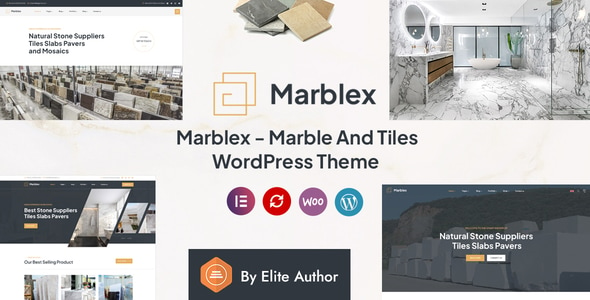
Marblex Marble & Tiles WordPress Theme 1.1
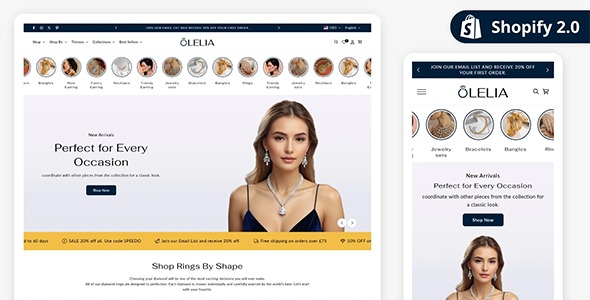
Olelia Jewelry Exquisite Jewelry Shopify Theme 1.5.0

GeoDirectory Booking Addon 2.1.20

WPC Order Tip for WooCommerce 3.2.6

PixelYourSite Pro WordPress Plugin 12.5.3

Autosoe Elementor Auto Parts Prestashop Theme 2.0.0

MonsterInsights User Journey Addon 1.1.4
Hotel Leisure WordPress Theme 2.2.8
Related products

CartFlows Pro WordPress Plugin 2.2.4
Frontend Admin Pro 3.28.37

Ultimate Addons for WPBakery Page Builder 3.21.2
Rated 5.00 out of 5
Reviews
There are no reviews yet.