


aBlocks Pro Plugin 2.8.1
Last Update: April 24, 2026
- Updated
- Lifetime updates
- Secure Payment
-88%
-88%
Description
quick summary
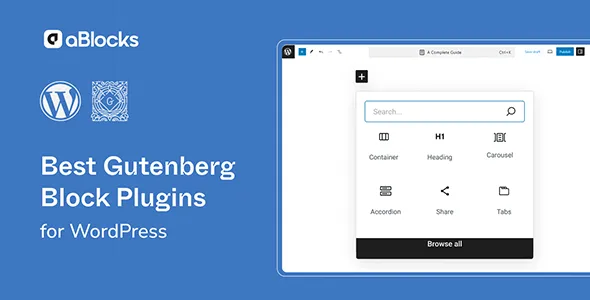
aBlocks Pro Plugin is an advanced WordPress block editor plugin designed for Gutenberg builders who need more visual control without writing code. It solves the problem of limited layouts, inflexible blocks, and generic-looking pages. It’s ideal for agencies, developers, implementers, and content creators who want to lay out complex, reusable, and consistent sections while staying within the native WordPress block environment.
What problem does it help solve?
When you work solely with WordPress’s basic blocks, there comes a point where pages start to look the same, creating more elaborate sections becomes difficult, and every small visual adjustment requires a mix of CSS, shortcodes, or makeshift solutions. This happens when you want to design landing pages, service pages, or content listings with more structure and realize that the default editor doesn’t quite meet your design needs.
If you’ve ever had a client request a very specific layout, with columns, backgrounds, calls to action, and featured elements, and you end up relying on external developers or rigid templates, the bottleneck isn’t your ideas, but the limitations of the standard editor. Furthermore, maintaining consistency between sections across the entire site becomes complex: you copy and paste blocks, lose settings, and any global change becomes a tedious task.
In real-world WordPress projects, this scenario translates into more time spent on repetitive tasks, inconsistent page layouts, and difficulty aligning aesthetics with conversion goals. The aBlocks Pro Plugin exists precisely to fill this gap: providing a set of blocks and advanced options that allow you to build rich layouts directly in Gutenberg, without leaving the native editing workflow.
Why this solution makes a difference
aBlocks Pro Plugin doesn’t just add “more blocks” haphazardly. Its focus is on blocks designed to lay out entire sections, optimize content presentation, and facilitate fine visual adjustments from the panel, without touching any code. This way, tasks that previously required custom CSS, child templates, or external page builders can now be accomplished through a familiar interface integrated directly into the block editor.
In day-to-day operations, this means fewer tool switches, less trial and error with styles, and a shorter learning curve for the team. When you start noticing that each landing page takes hours because you’re manually adjusting margins, padding, and alignment, having blocks designed for those sections significantly reduces page build time. Furthermore, the ability to replicate visual structures without losing consistency makes it easier to maintain a clear visual style throughout the site.
On the other hand, having advanced blocks focused on content and conversions helps to better organize information: highlighting benefits, organizing lists, reinforcing calls to action, and presenting key data in a readable way. The result is a more direct workflow: you open the editor, choose the appropriate block, adjust visual options, and publish, without intermediate steps or additional dependencies.
Signs you need this product
- You already have pages created in Gutenberg, but you struggle to achieve distinctive designs without resorting to another page builder.
- You notice friction when building landing pages or service pages because the native blocks fall short of the structure you’re looking for.
- You spend too much time manually adjusting margins, columns, and alignments on each page.
- Your project has grown, you manage several sections, and you need to maintain visual and content consistency without redesigning from scratch each time.
When does it make sense to use it (and when doesn’t)
The aBlocks Pro Plugin makes sense when your site already uses a block editor as its foundation and you want to take it a step further in terms of design and content organization. If you regularly work with sales pages, service descriptions, portfolios, project listings, or structures with multiple sections and calls to action, the benefit is clear: less manual work and layouts designed to drive conversions.
It also adds value when you manage multiple sites or a growing project and need a layout approach that you can replicate across pages without reinventing each block. If you’ve ever experienced a small design change in a key section forcing you to revise dozens of pages, you’ll understand the impact of having advanced, reusable blocks adapted to the native editor.
Conversely, this product isn’t necessary if you only manage a personal blog with very simple structures, where each post is primarily text and images without distinct sections or clear conversion goals. It’s also not the right choice if your entire workflow relies on another external page builder and you don’t plan to use Gutenberg as your primary editing environment.
Who it fits best for
- Professionals who implement WordPress sites for clients and want a more complete block environment, while staying in the native editor.
- Agencies that need to build landing pages, corporate pages, and service sections with repeatable structures aligned with business objectives.
- Content creators and marketing managers who edit pages in Gutenberg and require more visual control without relying on code or third parties.
Practical benefits
- Real operational improvement by reducing the time it takes to build and adjust complex sections within the block editor.
- Smoother user experience, as you always work in the same WordPress interface without changing tools for each design.
- Greater control and organization of content, by better structuring key sections such as benefits, testimonials, listings or calls to action.
- Time savings in creating new pages, thanks to blocks designed for common layouts in professional projects.
- Reduction of visual errors and design discrepancies between pages, avoiding scattered manual adjustments and improvised styles.
How it fits within WordPress
The aBlocks Pro Plugin integrates seamlessly into your existing Gutenberg workflow. Instead of forcing you to switch page builders or rely on rigid templates, it expands the capabilities of the editor you already use daily. In this context, it acts as a catalog of specialized blocks that complement the native ones, allowing you to create both informational pages and conversion-focused sections without leaving the standard WordPress ecosystem.
When working with WordPress, this translates into a minimal learning curve for the team: anyone familiar with the block editor quickly understands how to leverage the new elements. Furthermore, keeping everything within the same environment facilitates collaboration between different roles (design, content, and marketing), as everyone works within the same interface and visual structures.
Common usage scenarios
- Building service pages on a corporate website where you need to present benefits, processes, and calls to action in clear and visually consistent sections.
- Creation of a landing page for advertising campaigns, where the design must guide the user through well-differentiated blocks of information to a specific conversion.
- Setting up a portfolio or project website, showcasing work, descriptions, and featured items with an attractive layout based on advanced blocks.
Frequently Asked Questions about aBlocks Pro Plugin
What differentiates aBlocks Pro Plugin from the blocks that already come with Gutenberg?
Gutenberg’s native blocks are designed to cover basic content needs: paragraphs, images, simple columns, and little else. The aBlocks Pro Plugin focuses on more elaborate structures, geared towards entire page sections, with additional visual options to adjust the presentation without resorting to code. This allows you to design richer, goal-oriented layouts directly in the block editor, without relying on external solutions or manual CSS.
What type of pages benefit most from aBlocks Pro Plugin?
The greatest benefit is seen on pages where structure influences conversion or message clarity: product or service landing pages, corporate pages, “about us” sections, portfolios, benefit lists, or social proof blocks. In these cases, having advanced blocks helps organize information, highlight key elements, and maintain a clear visual hierarchy, without relying on standard designs that don’t reflect the project’s actual needs.
Do I need design skills to get the most out of aBlocks Pro Plugin?
You don’t need to be a design expert to benefit from it, although having a good eye for visuals helps you make better decisions when configuring blocks. aBlocks Pro Plugin is designed to let you adjust elements from clear panels within Gutenberg: alignments, layouts, and visual aspects are controlled with accessible options. This allows content or marketing professionals to build effective pages without relying exclusively on a designer for every modification.
How does it affect my workflow if I already have content created in Gutenberg?
If you already work with Gutenberg, adding the aBlocks Pro Plugin fits seamlessly. It doesn’t replace your existing content, but rather adds new possibilities for future pages or for redesigning specific sections. You can keep your current posts and pages and gradually introduce new blocks where they make sense: key landing pages, strategic pages, or areas where you need a more polished presentation. This way, you improve your site without completely rebuilding it.
Does it make sense to use aBlocks Pro Plugin in small projects?
It depends on how you envision the project. If the site is small but includes one or two key pages, such as a services landing page or a sales page, having more advanced blocks will help make those sections clear and engaging. On the other hand, if it’s a very simple blog focused solely on standard posts with text and images, the native editor will likely meet your needs, and you won’t require such a focused extension for section design.
Conclusion
aBlocks Pro Plugin was created for those who work with the WordPress block editor and encounter a clear limitation when trying to create more elaborate, results-oriented pages. It makes it easy to build well-structured, visually coherent sections tailored to specific objectives without leaving WordPress. If your challenge is to transform design ideas into practical layouts within WordPress itself, this plugin provides a direct and organized way to achieve it.
$49.00 Original price was: $49.00.$5.99Current price is: $5.99.
- Lifetime Updates And Support
- Official product, ready to use
- Clean and virus-free files
- GNU GPL V2/V3 License
- Money-back Guarantee





Author

Category: WordPress Plugins
Get in Subscription – Unlimited Downloads for $14.99/mo
- 5000+ Items
- Unlimited Usage
- Support
Frequently asked question
How many sites can I use the products on?
You can use any product from our store on any website you want.
Will I get updates?
Of course. If you buy an individual product, you’ll get lifetime updates for that purchase.
On the other hand, if you purchase a membership, you will receive updates until your membership expires.
Are the products authentic?
Yes, each product is original. The difference with the author is that we distribute under the GNU GPL v2/3 regulations/license, so we don’t provide additional services from the author, such as customizations, etc. We also don’t provide license keys, and in the case of products that require one to work, we pre-activate them so they don’t require anything and you can use them seamlessly on any website you want.
Do you provide technical support?
Yes, and regarding time, it is usually on average within 24 to 48 business hours.
Now, there are times when, in less than a day, we have already provided an answer and a solution, depending on the case.
Are there download limits?
No. We don’t believe in that format, so you can download as many times as you want. No problem. We pay for high-quality professional storage just to avoid any issues.
Do you provide license keys?
No. It’s not feasible, since we’ve already experienced keys flying everywhere, and we could lose the corresponding accounts.
That said, while all products are original, in the case of products that require a license key to operate, we will take care of pre-activating them.
Refund if product unusable?
We’re here to make sure you’re 100% satisfied with your experience. Our Customer Support Team will do everything possible to ensure you’re comfortable with placing an order and happy with the products you download. But we also know sometimes things happen.
Due to the nature of digital media means that once you have downloaded a plugin or theme there’s really no way to ‘return’ it. No refunds will be given except in the case when the digital product is completely unusable.
If the digital product is unusable, we need time to try to fix it. Otherwise, we will make a refund.
Our support team is available 24/7, if you have any question or need help in installing or configuring digital products purchased on the website, please don’t hesitate to CONTACT US.
Please note that we are not developers of the provided products, so our technical support capabilities are limited.
We do not change product functionality and do not fix developer bugs.
In case you are accepted to get refund, payment refunds are processed within 5-7 business days. All refunds are issued to the original payments. It may take up to 5 days for your refund to be reflected in your PayPal account or bank statement. If you paid using a credit or debit card, the money will be refunded to your card. Depending on your card issuer, it can take up to 30 days for the refund to appear on your card statement.
IMPORTANT! Please CONTACT US first so we can handle your issues. If you arbitrarily open a dispute without contacting us first, your account may be suspended immediately without notice.
Description
quick summary
aBlocks Pro Plugin is an advanced WordPress block editor plugin designed for Gutenberg builders who need more visual control without writing code. It solves the problem of limited layouts, inflexible blocks, and generic-looking pages. It’s ideal for agencies, developers, implementers, and content creators who want to lay out complex, reusable, and consistent sections while staying within the native WordPress block environment.
What problem does it help solve?
When you work solely with WordPress’s basic blocks, there comes a point where pages start to look the same, creating more elaborate sections becomes difficult, and every small visual adjustment requires a mix of CSS, shortcodes, or makeshift solutions. This happens when you want to design landing pages, service pages, or content listings with more structure and realize that the default editor doesn’t quite meet your design needs.
If you’ve ever had a client request a very specific layout, with columns, backgrounds, calls to action, and featured elements, and you end up relying on external developers or rigid templates, the bottleneck isn’t your ideas, but the limitations of the standard editor. Furthermore, maintaining consistency between sections across the entire site becomes complex: you copy and paste blocks, lose settings, and any global change becomes a tedious task.
In real-world WordPress projects, this scenario translates into more time spent on repetitive tasks, inconsistent page layouts, and difficulty aligning aesthetics with conversion goals. The aBlocks Pro Plugin exists precisely to fill this gap: providing a set of blocks and advanced options that allow you to build rich layouts directly in Gutenberg, without leaving the native editing workflow.
Why this solution makes a difference
aBlocks Pro Plugin doesn’t just add “more blocks” haphazardly. Its focus is on blocks designed to lay out entire sections, optimize content presentation, and facilitate fine visual adjustments from the panel, without touching any code. This way, tasks that previously required custom CSS, child templates, or external page builders can now be accomplished through a familiar interface integrated directly into the block editor.
In day-to-day operations, this means fewer tool switches, less trial and error with styles, and a shorter learning curve for the team. When you start noticing that each landing page takes hours because you’re manually adjusting margins, padding, and alignment, having blocks designed for those sections significantly reduces page build time. Furthermore, the ability to replicate visual structures without losing consistency makes it easier to maintain a clear visual style throughout the site.
On the other hand, having advanced blocks focused on content and conversions helps to better organize information: highlighting benefits, organizing lists, reinforcing calls to action, and presenting key data in a readable way. The result is a more direct workflow: you open the editor, choose the appropriate block, adjust visual options, and publish, without intermediate steps or additional dependencies.
Signs you need this product
- You already have pages created in Gutenberg, but you struggle to achieve distinctive designs without resorting to another page builder.
- You notice friction when building landing pages or service pages because the native blocks fall short of the structure you’re looking for.
- You spend too much time manually adjusting margins, columns, and alignments on each page.
- Your project has grown, you manage several sections, and you need to maintain visual and content consistency without redesigning from scratch each time.
When does it make sense to use it (and when doesn’t)
The aBlocks Pro Plugin makes sense when your site already uses a block editor as its foundation and you want to take it a step further in terms of design and content organization. If you regularly work with sales pages, service descriptions, portfolios, project listings, or structures with multiple sections and calls to action, the benefit is clear: less manual work and layouts designed to drive conversions.
It also adds value when you manage multiple sites or a growing project and need a layout approach that you can replicate across pages without reinventing each block. If you’ve ever experienced a small design change in a key section forcing you to revise dozens of pages, you’ll understand the impact of having advanced, reusable blocks adapted to the native editor.
Conversely, this product isn’t necessary if you only manage a personal blog with very simple structures, where each post is primarily text and images without distinct sections or clear conversion goals. It’s also not the right choice if your entire workflow relies on another external page builder and you don’t plan to use Gutenberg as your primary editing environment.
Who it fits best for
- Professionals who implement WordPress sites for clients and want a more complete block environment, while staying in the native editor.
- Agencies that need to build landing pages, corporate pages, and service sections with repeatable structures aligned with business objectives.
- Content creators and marketing managers who edit pages in Gutenberg and require more visual control without relying on code or third parties.
Practical benefits
- Real operational improvement by reducing the time it takes to build and adjust complex sections within the block editor.
- Smoother user experience, as you always work in the same WordPress interface without changing tools for each design.
- Greater control and organization of content, by better structuring key sections such as benefits, testimonials, listings or calls to action.
- Time savings in creating new pages, thanks to blocks designed for common layouts in professional projects.
- Reduction of visual errors and design discrepancies between pages, avoiding scattered manual adjustments and improvised styles.
How it fits within WordPress
The aBlocks Pro Plugin integrates seamlessly into your existing Gutenberg workflow. Instead of forcing you to switch page builders or rely on rigid templates, it expands the capabilities of the editor you already use daily. In this context, it acts as a catalog of specialized blocks that complement the native ones, allowing you to create both informational pages and conversion-focused sections without leaving the standard WordPress ecosystem.
When working with WordPress, this translates into a minimal learning curve for the team: anyone familiar with the block editor quickly understands how to leverage the new elements. Furthermore, keeping everything within the same environment facilitates collaboration between different roles (design, content, and marketing), as everyone works within the same interface and visual structures.
Common usage scenarios
- Building service pages on a corporate website where you need to present benefits, processes, and calls to action in clear and visually consistent sections.
- Creation of a landing page for advertising campaigns, where the design must guide the user through well-differentiated blocks of information to a specific conversion.
- Setting up a portfolio or project website, showcasing work, descriptions, and featured items with an attractive layout based on advanced blocks.
Frequently Asked Questions about aBlocks Pro Plugin
What differentiates aBlocks Pro Plugin from the blocks that already come with Gutenberg?
Gutenberg’s native blocks are designed to cover basic content needs: paragraphs, images, simple columns, and little else. The aBlocks Pro Plugin focuses on more elaborate structures, geared towards entire page sections, with additional visual options to adjust the presentation without resorting to code. This allows you to design richer, goal-oriented layouts directly in the block editor, without relying on external solutions or manual CSS.
What type of pages benefit most from aBlocks Pro Plugin?
The greatest benefit is seen on pages where structure influences conversion or message clarity: product or service landing pages, corporate pages, “about us” sections, portfolios, benefit lists, or social proof blocks. In these cases, having advanced blocks helps organize information, highlight key elements, and maintain a clear visual hierarchy, without relying on standard designs that don’t reflect the project’s actual needs.
Do I need design skills to get the most out of aBlocks Pro Plugin?
You don’t need to be a design expert to benefit from it, although having a good eye for visuals helps you make better decisions when configuring blocks. aBlocks Pro Plugin is designed to let you adjust elements from clear panels within Gutenberg: alignments, layouts, and visual aspects are controlled with accessible options. This allows content or marketing professionals to build effective pages without relying exclusively on a designer for every modification.
How does it affect my workflow if I already have content created in Gutenberg?
If you already work with Gutenberg, adding the aBlocks Pro Plugin fits seamlessly. It doesn’t replace your existing content, but rather adds new possibilities for future pages or for redesigning specific sections. You can keep your current posts and pages and gradually introduce new blocks where they make sense: key landing pages, strategic pages, or areas where you need a more polished presentation. This way, you improve your site without completely rebuilding it.
Does it make sense to use aBlocks Pro Plugin in small projects?
It depends on how you envision the project. If the site is small but includes one or two key pages, such as a services landing page or a sales page, having more advanced blocks will help make those sections clear and engaging. On the other hand, if it’s a very simple blog focused solely on standard posts with text and images, the native editor will likely meet your needs, and you won’t require such a focused extension for section design.
Conclusion
aBlocks Pro Plugin was created for those who work with the WordPress block editor and encounter a clear limitation when trying to create more elaborate, results-oriented pages. It makes it easy to build well-structured, visually coherent sections tailored to specific objectives without leaving WordPress. If your challenge is to transform design ideas into practical layouts within WordPress itself, this plugin provides a direct and organized way to achieve it.
Be the first to review “aBlocks Pro Plugin 2.8.1” Cancel reply
You must be logged in to post a review.
This week's best selling

Elementor Pro WordPress Plugin 4.0.4
Rated 4.83 out of 5

AI Puffer 2.4.29 (AI Power)

MotoPress Booklium WordPress Theme 2.0.0
Suave 1.9.8 – Multi-Purpose WooCommerce Theme

Newsletter Mailgun Addon 4.3.6

SearchWP MyListing Integration 1.1.0

BlogSquare Pro Theme 1.0.5

BlogRank Pro Theme 1.0.3

WooCommerce Product Catalog Mode 1.8.8
Plan My Day Wedding WordPress Theme 1.1.12

Angela Family Planning and Pregnancy Theme 1.3.3

Get Paid PDF Invoices 2.0.8
Related products

Amelia Pro Enterprise Level Booking Manager 9.5

Advanced WooCommerce Reporting System Plugin 7.0
Rated 5.00 out of 5

Lumise Product Designer for WooCommerce 2.1.1
Rated 5.00 out of 5
Reviews
There are no reviews yet.