Thrive Product Manager 10.9.1
- Updated
- Lifetime updates
- Secure Payment
Thrive Product Manager
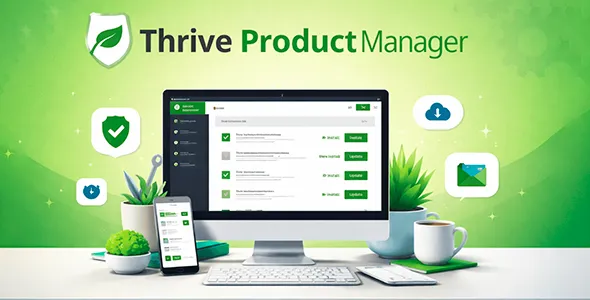
Thrive Product Manager is an essential, free tool (included with all Thrive Themes purchases) that installs as a standalone plugin on your WordPress site. Once activated and connected to your Thrive Themes account, it displays all your available products on a single page, depending on your license (individual products or the complete Thrive Suite).
It allows:
- Install or update any Thrive product with a single click.
- Activate/deactivate plugins and themes without leaving the dashboard.
- View license status, current versions, and pending updates.
- Troubleshoot common installation problems (such as connection or permission errors) directly from the interface.
It’s the essential entry point for any Thrive Themes user, as almost all products (including Thrive Theme Builder as the main theme) are installed and managed through it. It helps your site rank higher in searches like “install Thrive Suite WordPress,” “Thrive Product Manager how to use,” or “manage Thrive Themes plugins centrally,” since it’s the tool recommended by Thrive for a clean and efficient setup.
With Thrive Product Manager, you avoid the chaos of multiple loose plugins, keep everything automatically updated, and reduce the risk of incompatibilities or manual errors.
Key benefits of Thrive Product Manager for better positioning and conversion
Thrive Product Manager facilitates the management of a powerful conversion ecosystem (Thrive Suite), indirectly impacting SEO performance and sales:
- Ultra-fast setup and maintenance → Install or update the entire Thrive stack (high-converting pages, opt-ins, quizzes, courses) in minutes, allowing you to launch or redesign sites faster and keep them stable.
- Site always updated and secure → Automatic or one-click updates prevent vulnerabilities and maintain compatibility with WordPress/WooCommerce, reducing downtime and improving quality signals for Google.
- Better performance and speed → By centralizing everything in a lightweight manager, you reduce bloat (you don’t need to upload ZIPs or extra plugins), contributing to better Core Web Vitals and higher rankings in competitive searches.
- Scalability for multiple sites → Ideal for agencies or entrepreneurs with multiple projects; a single Thrive account manages licenses across all sites without complications.
- Frictionless professional experience → Intuitive dashboard with direct login to your Thrive account, avoiding common errors such as “plugin not found” or “invalid license”.
- Indirect SEO optimization → By using Thrive Suite (with tools like Thrive Architect for fast and optimized pages), you generate sites with better engagement and conversion, strengthening metrics that Google values.
- Time and cost savings → Eliminates hours of manual troubleshooting; everything centralized in one place.
Thrive Product Manager makes managing Thrive products a simple and professional process, allowing you to focus on creating conversion content instead of technical maintenance.
Key features of Thrive Product Manager
Thrive Product Manager includes key features that make it indispensable for Thrive Themes users:
- Centralized Dashboard → Lists all available Thrive products according to your license (Thrive Suite, individual products or Theme Builder); shows installed version, available version and install/update button.
- One click install → Download and install directly from Thrive’s servers, without manually uploading ZIP files.
- Secure login with Thrive account → Connect your Thrive Themes membership to automatically verify licenses and only show what you are entitled to.
- Activation/deactivation management → Activate or deactivate plugins/themes from the same panel; useful for testing or multisite.
- Automatic or manual updates → Set up automatic updates to keep everything up to date without intervention.
- Integrated bug fixes → Displays clear messages for common problems (folder permissions, internet connection, expired license) with troubleshooting guides.
- Multisite Compatibility → Works on WordPress Multisite networks to manage products across multiple subsites from Network Admin.
- Lightweight and impact-free → Minimal plugin that doesn’t add bloat; it only loads what’s necessary in the backend.
- Full Thrive Suite support → Entry point to install Thrive Theme Builder (as a main theme), Thrive Architect, Leads, Quiz, Apprentice and more.
Thrive Product Manager is regularly updated for compatibility with the latest versions of WordPress and new Thrive products, ensuring a seamless workflow.
Conclusion
In short, Thrive Product Manager is the essential tool for any Thrive Themes user who wants to manage their conversion suite centrally, quickly, and easily. With its focus on simplicity, easy updates, and troubleshooting, it accelerates the setup of high-performing sites, keeps everything stable, and contributes to stronger organic rankings by making it easy to use Thrive’s SEO- and conversion-optimized tools in WordPress.

$59.00 Original price was: $59.00.$4.99Current price is: $4.99.
- Lifetime Updates And Support
- Official product, ready to use
- Clean and virus-free files
- GNU GPL V2/V3 License
- Money-back Guarantee
Get in Subscription – Unlimited Downloads for $14.99/mo
- 5000+ Items
- Unlimited Usage
- Support
Frequently asked question
How many sites can I use the products on?
You can use any product from our store on any website you want.
Will I get updates?
Of course. If you buy an individual product, you’ll get lifetime updates for that purchase.
On the other hand, if you purchase a membership, you will receive updates until your membership expires.
Are the products authentic?
Yes, each product is original. The difference with the author is that we distribute under the GNU GPL v2/3 regulations/license, so we don’t provide additional services from the author, such as customizations, etc. We also don’t provide license keys, and in the case of products that require one to work, we pre-activate them so they don’t require anything and you can use them seamlessly on any website you want.
Do you provide technical support?
Yes, and regarding time, it is usually on average within 24 to 48 business hours.
Now, there are times when, in less than a day, we have already provided an answer and a solution, depending on the case.
Are there download limits?
No. We don’t believe in that format, so you can download as many times as you want. No problem. We pay for high-quality professional storage just to avoid any issues.
Do you provide license keys?
No. It’s not feasible, since we’ve already experienced keys flying everywhere, and we could lose the corresponding accounts.
That said, while all products are original, in the case of products that require a license key to operate, we will take care of pre-activating them.
Refund if product unusable?
We’re here to make sure you’re 100% satisfied with your experience. Our Customer Support Team will do everything possible to ensure you’re comfortable with placing an order and happy with the products you download. But we also know sometimes things happen.
Due to the nature of digital media means that once you have downloaded a plugin or theme there’s really no way to ‘return’ it. No refunds will be given except in the case when the digital product is completely unusable.
If the digital product is unusable, we need time to try to fix it. Otherwise, we will make a refund.
Our support team is available 24/7, if you have any question or need help in installing or configuring digital products purchased on the website, please don’t hesitate to CONTACT US.
Please note that we are not developers of the provided products, so our technical support capabilities are limited.
We do not change product functionality and do not fix developer bugs.
In case you are accepted to get refund, payment refunds are processed within 5-7 business days. All refunds are issued to the original payments. It may take up to 5 days for your refund to be reflected in your PayPal account or bank statement. If you paid using a credit or debit card, the money will be refunded to your card. Depending on your card issuer, it can take up to 30 days for the refund to appear on your card statement.
IMPORTANT! Please CONTACT US first so we can handle your issues. If you arbitrarily open a dispute without contacting us first, your account may be suspended immediately without notice.
Thrive Product Manager
Thrive Product Manager is an essential, free tool (included with all Thrive Themes purchases) that installs as a standalone plugin on your WordPress site. Once activated and connected to your Thrive Themes account, it displays all your available products on a single page, depending on your license (individual products or the complete Thrive Suite).
It allows:
- Install or update any Thrive product with a single click.
- Activate/deactivate plugins and themes without leaving the dashboard.
- View license status, current versions, and pending updates.
- Troubleshoot common installation problems (such as connection or permission errors) directly from the interface.
It’s the essential entry point for any Thrive Themes user, as almost all products (including Thrive Theme Builder as the main theme) are installed and managed through it. It helps your site rank higher in searches like “install Thrive Suite WordPress,” “Thrive Product Manager how to use,” or “manage Thrive Themes plugins centrally,” since it’s the tool recommended by Thrive for a clean and efficient setup.
With Thrive Product Manager, you avoid the chaos of multiple loose plugins, keep everything automatically updated, and reduce the risk of incompatibilities or manual errors.
Key benefits of Thrive Product Manager for better positioning and conversion
Thrive Product Manager facilitates the management of a powerful conversion ecosystem (Thrive Suite), indirectly impacting SEO performance and sales:
- Ultra-fast setup and maintenance → Install or update the entire Thrive stack (high-converting pages, opt-ins, quizzes, courses) in minutes, allowing you to launch or redesign sites faster and keep them stable.
- Site always updated and secure → Automatic or one-click updates prevent vulnerabilities and maintain compatibility with WordPress/WooCommerce, reducing downtime and improving quality signals for Google.
- Better performance and speed → By centralizing everything in a lightweight manager, you reduce bloat (you don’t need to upload ZIPs or extra plugins), contributing to better Core Web Vitals and higher rankings in competitive searches.
- Scalability for multiple sites → Ideal for agencies or entrepreneurs with multiple projects; a single Thrive account manages licenses across all sites without complications.
- Frictionless professional experience → Intuitive dashboard with direct login to your Thrive account, avoiding common errors such as “plugin not found” or “invalid license”.
- Indirect SEO optimization → By using Thrive Suite (with tools like Thrive Architect for fast and optimized pages), you generate sites with better engagement and conversion, strengthening metrics that Google values.
- Time and cost savings → Eliminates hours of manual troubleshooting; everything centralized in one place.
Thrive Product Manager makes managing Thrive products a simple and professional process, allowing you to focus on creating conversion content instead of technical maintenance.
Key features of Thrive Product Manager
Thrive Product Manager includes key features that make it indispensable for Thrive Themes users:
- Centralized Dashboard → Lists all available Thrive products according to your license (Thrive Suite, individual products or Theme Builder); shows installed version, available version and install/update button.
- One click install → Download and install directly from Thrive’s servers, without manually uploading ZIP files.
- Secure login with Thrive account → Connect your Thrive Themes membership to automatically verify licenses and only show what you are entitled to.
- Activation/deactivation management → Activate or deactivate plugins/themes from the same panel; useful for testing or multisite.
- Automatic or manual updates → Set up automatic updates to keep everything up to date without intervention.
- Integrated bug fixes → Displays clear messages for common problems (folder permissions, internet connection, expired license) with troubleshooting guides.
- Multisite Compatibility → Works on WordPress Multisite networks to manage products across multiple subsites from Network Admin.
- Lightweight and impact-free → Minimal plugin that doesn’t add bloat; it only loads what’s necessary in the backend.
- Full Thrive Suite support → Entry point to install Thrive Theme Builder (as a main theme), Thrive Architect, Leads, Quiz, Apprentice and more.
Thrive Product Manager is regularly updated for compatibility with the latest versions of WordPress and new Thrive products, ensuring a seamless workflow.
Conclusion
In short, Thrive Product Manager is the essential tool for any Thrive Themes user who wants to manage their conversion suite centrally, quickly, and easily. With its focus on simplicity, easy updates, and troubleshooting, it accelerates the setup of high-performing sites, keeps everything stable, and contributes to stronger organic rankings by making it easy to use Thrive’s SEO- and conversion-optimized tools in WordPress.
You must be logged in to post a review.

Reviews
There are no reviews yet.